- nano-SIM card support only - Active noise cancellation with dedicated dual mics - Siri natural language commands and dictation - iCloud cloud service - Twitter and Facebook integration - TV-out - Maps - iBooks PDF reader - Audio/video player and editor - Image editor - Voice memo/command/dial
Nokia is still picking up pace in the smartphone market, with the Microsoft-driven Lumias yet to make the impact the Finns have been hoping for since the strategy reset. In the meantime, the company has been enjoying a pretty easy run in the feature phone market, which is now virtually free or real competition.
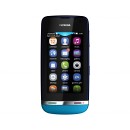
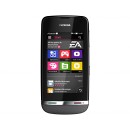
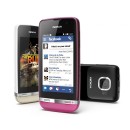
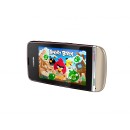
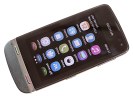
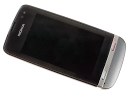
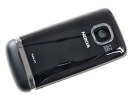
Nokia Asha 311 official photos
The Asha lineup is doing pretty well, as testified by the interest rates on this very website, but the long-term challenge for Nokia remains. Fending off entry-level smartphones and securing the future of the dumbphone kind may seem a futile effort, but the likes of the Asha 311 beg to differ.
Here's what the best spec'd member of the family has to offer:
Key features
Quad-band GSM, GPRS, EDGE
Penta-band 3G with 14.4Mbps HSDPA and 5.76 Mbps support
S40-based Asha touch interface
3" WQVGA capacitive touchscreen, ~155 pixel density
Corning Gorilla Glass, Polarizing filter
1GHz CPU, 128MB RAM
Nokia Browser 2.0
Nokia store and 40 EA games for free
3.15 MP camera, VGA video recording
140MB internal memory, microSD card support (up to 32 GB)
Complimentary 2 GB microSD card in the box
Proximity and ambient light sensors
Accelerometer, display auto-rotation
Bluetooth v2.1
Standard microUSB port, charging
1100 mAh Li-Ion battery
Excellent loudspeaker performance
Good codecs support
Main disadvantages
Low screen resolution
Fixed-focus camera
No smart dialing
Costs as much as some smartphones
The Asha Touch interface cannot match the versatility of proper smart platforms with hundreds of thousands of available apps. However, the simple feature phone UI allows for superior performance on modest hardware.
Nokia Asha 311 uses that to its advantage and promises an experience that isn't far off similarly priced smartphones. What's more, the not-too-tech-savvy users targeted here will appreciate the simplicity and convenience.
The Nokia Asha 311 in our office
The Nokia Asha 311 has no illusions about its standing in the pecking order, but it shows commitment to hard work and desire to prove to users that they're making the right choice buying it. This one is not about boasting rights or acing benchmarks - yet you can count on a reasonably fluid touchscreen experience, solid connectivity and an app store.
It may look like Samsung is dipping a toe in unknown waters but its long-time partnership with Microsoft is a wet suit of sorts. The Ativ Tab may be the company's first Windows 8 RT tablet but not its first Windows slate.
You may be familiar with the Samsung Series 7, a handful of tablet PCs running the desktop version of Windows 7. These Intel-powered devices are essentially laptops proper (give or take a keyboard) and have understandably been off our radar.
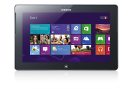
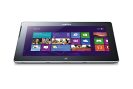
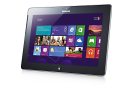
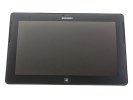
Samsung Ativ Tab official photos
The Ativ Tab on the other hand is a tablet that we would be interested in - a tablet like them Google and Apple slates. Running the lighter Windows 8 RT, the Ativ Tab is powered by an ARM chipset, like millions of phones and other handheld devices. All prim and proper, just not quite sure about the name. Ativ as in "Vita" read backwards. Yeah, right.
Anyway, it will be up to the Ativ Tab, the Microsoft Surface and probably more Windows-powered slates from the likes of Acer and Asus (why not Nokia) to bring the professed three-horse race over to tablets.
But let's not get carried away fantasizing about a double-edged attack on the iPad - an idea, which Samsung of all makers would most certainly savor - and take a look at the Ativ Tab's highlights instead.
Samsung Ativ Tab at a glance:
Form factor: Tablet
Dimensions: 265.8 x 168.1 x 8.9 mm
Weight: 570g
Display: 16M-color 10.1" PLS LCD HD capacitive touchscreen (1366x768 pixels), 400-nits of brightness
OS: Windows 8 RT, Windows UI
Chipset: 1.5 GHz dual-core Krait CPU, Adreno 305 GPU, Snapdragon S4 Plus APQ8090a chipset, 2GB of RAM
Connectivity: Dual-band Wi-Fi a/b/g/n, Wi-Fi Direct, Wi-Fi Channel Bonding, Assisted GPS, Bluetooth 4.0, microHDMI, NFC, USB 2.0 Host
Memory: 32/64GB of inbuilt storage, expandable via a microSD card slot (up to 64GB)
Camera: 5 MP autofocus camera, LED flash with 720p video recording, 1.9MP front-facing camera
Battery: 8,200mAh Li-Ion
Misc: Microsoft Office package, Gyro sensor, accelerometer sensor for automatic UI rotation, ambient light sensor, DivX/XviD support, TV-out (adapter required), USB host Proprietary 13-pin connector for keyboard dock, Capacitive Sylus (optional)
Specs-wise there's nothing particularly impressive about the Samsung Ativ Tab. It's less powerful than even some of the smartphones out there, we've seen better screens, more apps, voice call support, and probably superior media capabilities elsewhere.
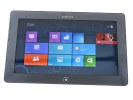
Samsung Ativ Tab live photos
But the Ativ Tab has other strengths, the Office package and seamless compatibility with your home or office PC being one of the highlights. It has expandable storage too, which not all tablets guarantee - the Surface for one hasn't got a card slot. An optional keyboard and a stylus are other points in favor. Now, let's start exploring the Samsung Ativ Tab.
Design and build quality
The Ativ Tab is a good-looking gadget with quality build and premium feel. It takes a lot of design cues from the Galaxy Note 10.1, but somehow manages to look way better. The minimalist design suits this tablet quite well.
The slate is entirely made of plastic, which may sound questionable considering the magnesium case of the Microsoft Surface, but there's nothing about the build and finish to raise concern. The back of the Ativ Tab is nice to touch and has a brushed aluminum look.
Samsung Ativ Tab design
The Samsung Ativ Tab is built around a 10.1" PLS LCD display of the reasonable 1366 x 768 pixel resolution. The screen is very bright at 400-nits and boasts wide viewing angles.
The image quality is above average with vivid colors and reasonably deep blacks (we're saving our usual screen tests for a retail unit).
Pixel density is nothing to be excited about (155ppi), but considering tablets like the Ativ Tab are viewed at a bigger distance than phones, it's not much of an issue.
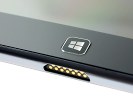
The Windows 8 RT platform mandates a single hardware control - the classic Windows Start button. On the Ativ Tab it is centrally placed below the display.
The classic Windows button
In our pre-release unit, the Start button felt a little flimsy, but this will hopefully be sorted before the Ativ Tab launches. Overall, the tablet feels extra solid, no rattle and creaks even when we tried to twist it.
The front-facing camera is located above the display, along with all the sensors. In the left corner, there's a status LED.
There are two front-facing speakers on either side of the screen. We found this location to much better suit gaming and movie watching than the sides or the back of the slate. Due to the position of the speakers in the upper half of the tablet, you're not likely to cover them with your palms.
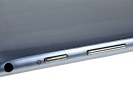
At the top of the Samsung Ativ Tab (in landscape) are all the buttons and ports (except the docking port). There we find the 3.5mm audio jack along with a lock/power button and the volume rocker. There's a full-size USB 2.0 port and a microHDMI port, both sharing a plastic lid. Lastly, there's a microSD card slot which is also covered.
The busy top side houses the SIM, microSD slots along with 3.5mm audio jack, volume rocker, power/lock key
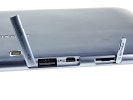
The port for connecting an optional keyboard, complete with a touchpad, is located at the bottom. There's a hinge hole on each side to firmly secure the keyboard. This optional peripheral is something to consider, if you are going to do a lot of typing. Alternatively, you choose the money-saving option of a wireless Bluetooth keyboard. A mouse can be connected too via the USB 2.0 port.
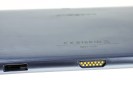
The Samsung Ativ Tab uses a proprietary connector for charging only, which is placed at the bottom left.
The bottom has the primary mic, the connectivity port and the stylus housing
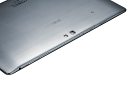
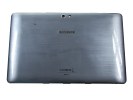
At the back of the Ativ Tab 10.1 we find a 5MP camera lens with an LED flash next to it. The camera is quite capable of shooting the occasional photos and HD videos.
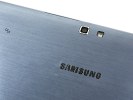
The back of the Ativ Tab • A close-up of the camera
The Samsung Ativ Tab gets its juice from a beefy 8,200mAh Li-Ion battery. Although there are no official battery life quotes yet, Microsoft promise to impress users with longevity thanks to the OS efficient resource managing. We'll be doing our own battery tests once we obtain a retail-ready unit.
The plastic used on the outside is the glossy variety rather than the matte finish on recent Samsung tablets. Although it's very nice to the touch, it takes fingerprints easily.
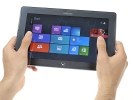
Operating the tablet with one hand, while holding it with the other is possible, but sooner or later you are going to feel the Ativ Tab's weight of 570 grams. Nevertheless, holding it is extremely satisfying thanks to solid build and the 8.9mm thickness. The Samsung Ativ Tab will have an optional keyboard with a touchpad. A stylus is being mentioned too.
The Ativ Tab held in hands
Windows 8 RT in charge
In its pre-release form, the Samsung Ativ Tab runs a Consumer Preview of the Microsoft Windows 8 RT. The latest version of Microsoft's OS boasts the familiar tile-based user interface.
Here's a quick hands-on video of the Ativ Tab UI to familiarize you with Windows 8 for tablets.
The "RT" part of the name indicates a special variety of the Windows 8 OS, designed to run on ARM-powered hardware. As a result, Windows 8 RT could only run Metro apps, and not the typical x86 Windows desktop programs.
This limitation doesn't take anything away from the great looks though. Microsoft has done an outstanding job of rethinking a rich and complex Windows 8 into a touch-friendly and easy-to-use everyday companion without compromising its capabilities.
The lockscreen in Windows 8 RT is minimalist, showing the time and date as well as battery and Wi-Fi status icons. Swiping up unlocks the slate and welcomes you with the redesigned Start menu.
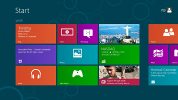
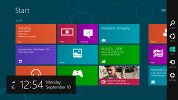
Here's where the Windows Phone 7 tiled style that we love storms Windows 8. The start menu is composed of live tiles (which can be resized) acting as shortcuts to different apps and services. They can display app-specific information and use cool animations doing so. Mind you, only pinned apps are showed in the Start menu.
The revamped Start menu in Windows 8
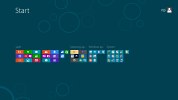
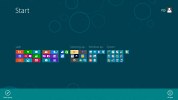
You can group app tiles by dragging them onto a new group or an already existing one. A pinch will zoom out all pinned apps and show the different groups. From here, you can rename groups.
Windows 8 introduces a few new gestures that enhance the user experience. A swipe from the right most edge of the screen brings up what Microsoft calls "Charms". A taskbar of sorts with icons for Search, Share, Start, Devices and Settings. If you have opened an app and bring up Charms, they will perform context-specific actions: bring up settings for the relevant app, do app-specific Search or Share.
Charms in Windows 8 RT
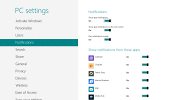
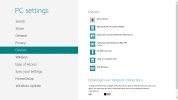
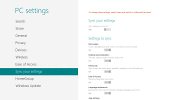
Tapping on the Settings button on the homescreen brings up a panel of quick settings and power options. Think of those settings as more of preferences, as they don't control the usual hardware settings Windows users are accustomed to. They rather allow you to control notifications, accounts, customization, and other options.
The classic Windows settings are found in the Control panel, in the Desktop mode, which we'll cover later.
The settings menu in Windows 8
A left to right swipe acts like a classic ALT+Tab command and switches over to the next app you have opened. Alternatively, swiping left and going back right in a peculiar double swipe displays a thin strip listing all opened apps.
A swipe from the bottom unveils a pop-up bar with a contextual menu for the current app. Think a cousin of the right mouse click. To simulate a right click (and bring the contextual menu) on a specific item on the screen (e.g. a tile on the start screen), tap and hold and nudge down. The same pop up bar appears bellow showing you different options.
Lastly, there's the top-to-bottom swipe. It has two functions depending on the swipe you make. On a short swipe, it reveals an app-specific contextual menu. In Internet Explorer 10 for instance, it brings a list of opened tabs. A longer swipe from the top will close an app (just like the ALT+F4 combo). Some serious Nokia N9 stuff here.
A list of currently opened apps in Windows 8
We loved the split-screen feature allowing you to accommodate two apps at a time. An app can be dragged and docked to a part of the screen without completely pushing the previous one away. You cannot split the screen in half - there's always a small and a big window. It actually makes sense to have the web browser or video player in reasonable size and stuff like email, messages, stocks, etc. in the small window.
Split-screen mode for multitasking
Plenty of neat tricks in the Windows 8 user interface, no doubt about that. Now, let's take a look at some specific apps and the Desktop mode.
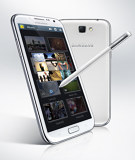
The original Galaxy Note was a runaway success despite all the doubts that its size and stylus caused. It's understandable then, why the new Samsung Galaxy Note II was greeted with so much excitement. It brings a new and improved screen, boosts processing power significantly and makes the S Pen even better.
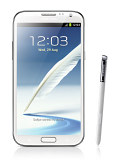
Samsung Galaxy Note II official photos
The screen of the new phoneblet is quite interesting - Samsung moved it to 16:9 aspect ratio, so it matches the Galaxy S III and extended the diagonal to 5.5". But the Note II Super AMOLED display isn't just the Galaxy S III's screen upsized or even that of the original Note.
Still camera: 8 megapixel auto-focus camera with backlit sensor, face detection and Best faces feature, touch focus and image stabilization;
Video camera: Full HD (1080p) video recording at 30fps, LED flash, 1.9MP front facing camera, video-calls
Connectivity: Wi-Fi a/b/g/n, Wi-Fi hotspot, Bluetooth 4.0, standard microUSB port with MHL features (TV Out, USB host), GPS receiver with A-GPS, 3.5mm audio jack, FM radio, NFC
A peek under a microscope revealed that the Samsung Galaxy Note II uses a completely new Super AMOLED matrix with three subpixels per pixel. It's an unusual matrix for sure, but it might be the sign of things to come for future Galaxy flagships.
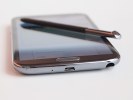
The Galaxy Note II brings the second iteration of the S Pen. The new one is longer and thicker compared to the original, though not as big as the one in the Note 10.1. The new digitizer also offers a great deal of new features - better pressure sensitivity and hover detection of the stylus.
And there are some cool new software tricks to complement the improved stylus - the hover function triggers various previews (everything from email to video), the bigger button on the S Pen enables a variety of gestures and there's a new homescreen pane that automatically pops up when you use the stylus.
Speaking of software, the Galaxy Note II will be one of the first Samsung devices to launch with Android 4.1 Jelly Bean out of the box (along with the Galaxy Camera). The combination of the latest Android and the fast Exynos chipset with a quad-core processor clocked at 1.6GHz makes the Note II a performance beast.
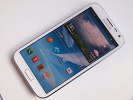
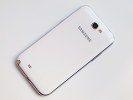
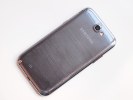
Samsung Galaxy Note II live photos
At this point it's clear, that we have one of the devices of the season on our hands here, so let's waste no more time and get down to testing.